 Ato
AtoLook back on your day, with the record.
Retrace your day with Ato.
Ato is a journal app built on your Mac's log, so you can write your reflection on the day while looking at your work record. It automatically logs the apps, web pages, and calendar events you use, and lets you write your reflection in Markdown.
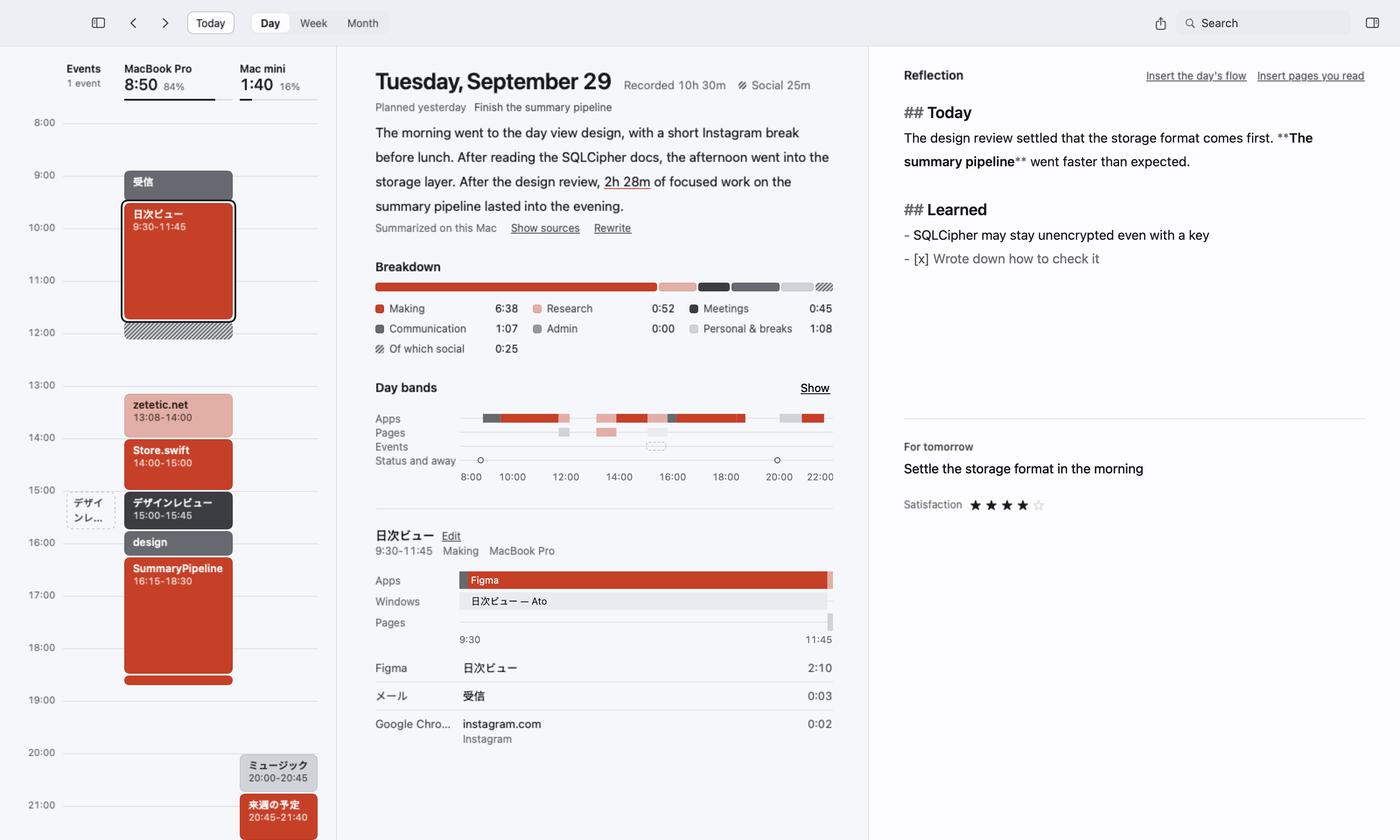
"What did I even do today?" Retrace it from the record.
Your Mac's log, recorded automatically
Ato automatically records the apps and windows you use on your Mac, the pages you visit in Chrome, your calendar events, and the files you work on, each with its time. No more digging through your history at the end of the day: the flow of the day and a summary are already there.
Write your journal with the record beside you
The right side of the daily review is a journal for reflecting on the day. With the record and summary beside it, write in Markdown what you did, what you noticed, and what you learned, and note what you want to do tomorrow and how satisfied you were.
Record, review, reflect.
-
Record
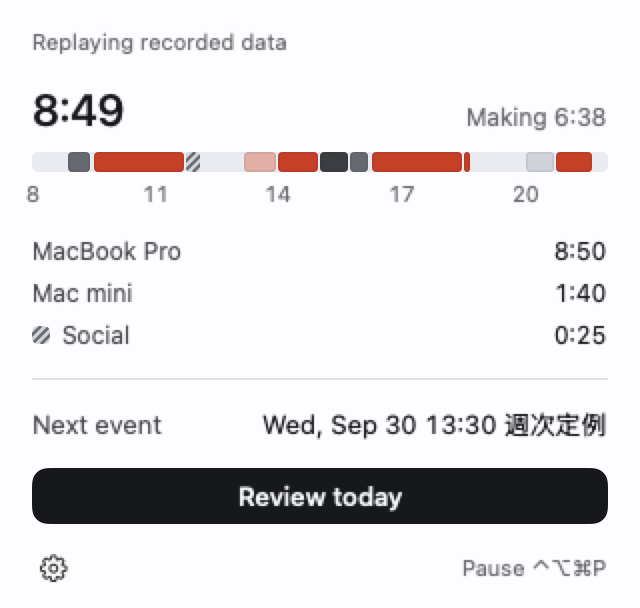
Ato lives in your Mac's menu bar and automatically records the apps you use, the websites you visit in Chrome, your calendar events, and the files you work on in folders you choose. What's being recorded is always shown in the menu bar, and you can pause at any time.
-
Review
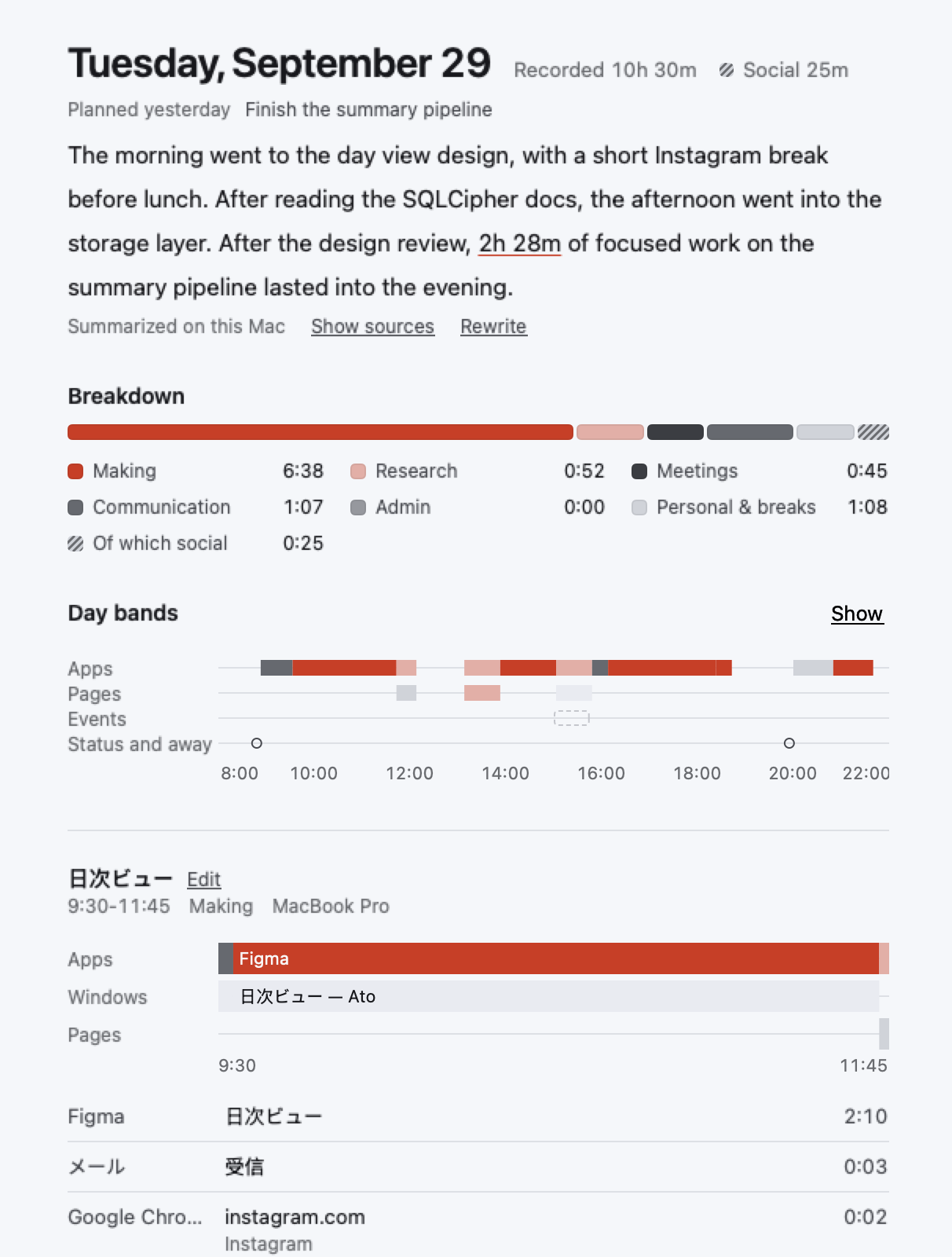
In Ato's daily review, the day's timeline shows where your time went. See at a glance which apps, web pages, and AI agents were at work at any moment.
-
Reflect
Write your reflection in Markdown, based on your records. Insert the day's records, or type @ to ask AI to dig deeper.
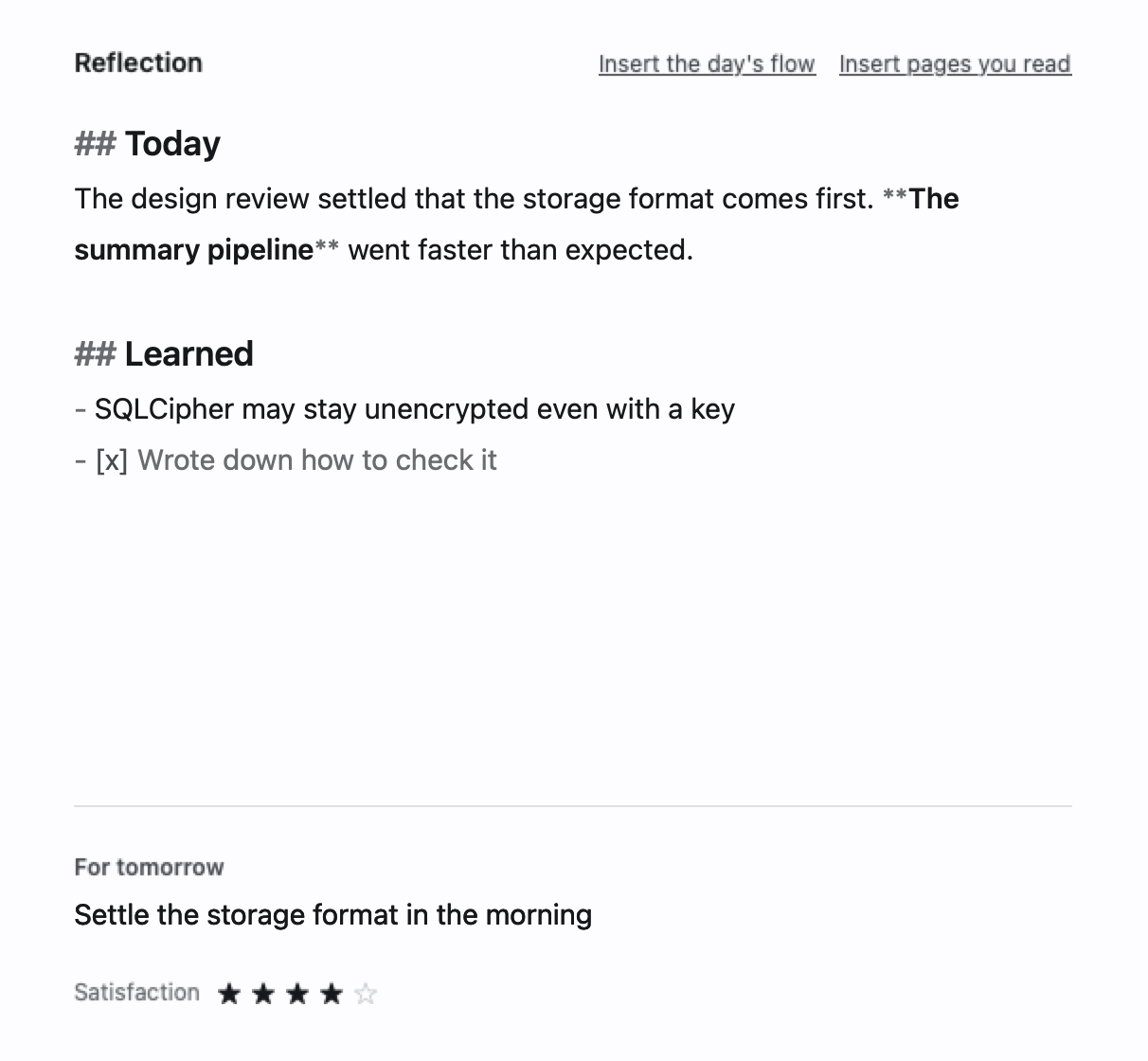
See your day at a glance, any time.
You can turn the reflection features off in Settings and use Ato just for recording. The record, the day's bands, and the summary alone show what you did and for how long.
The week and month views show how you spent your time, with weekly and monthly summaries.
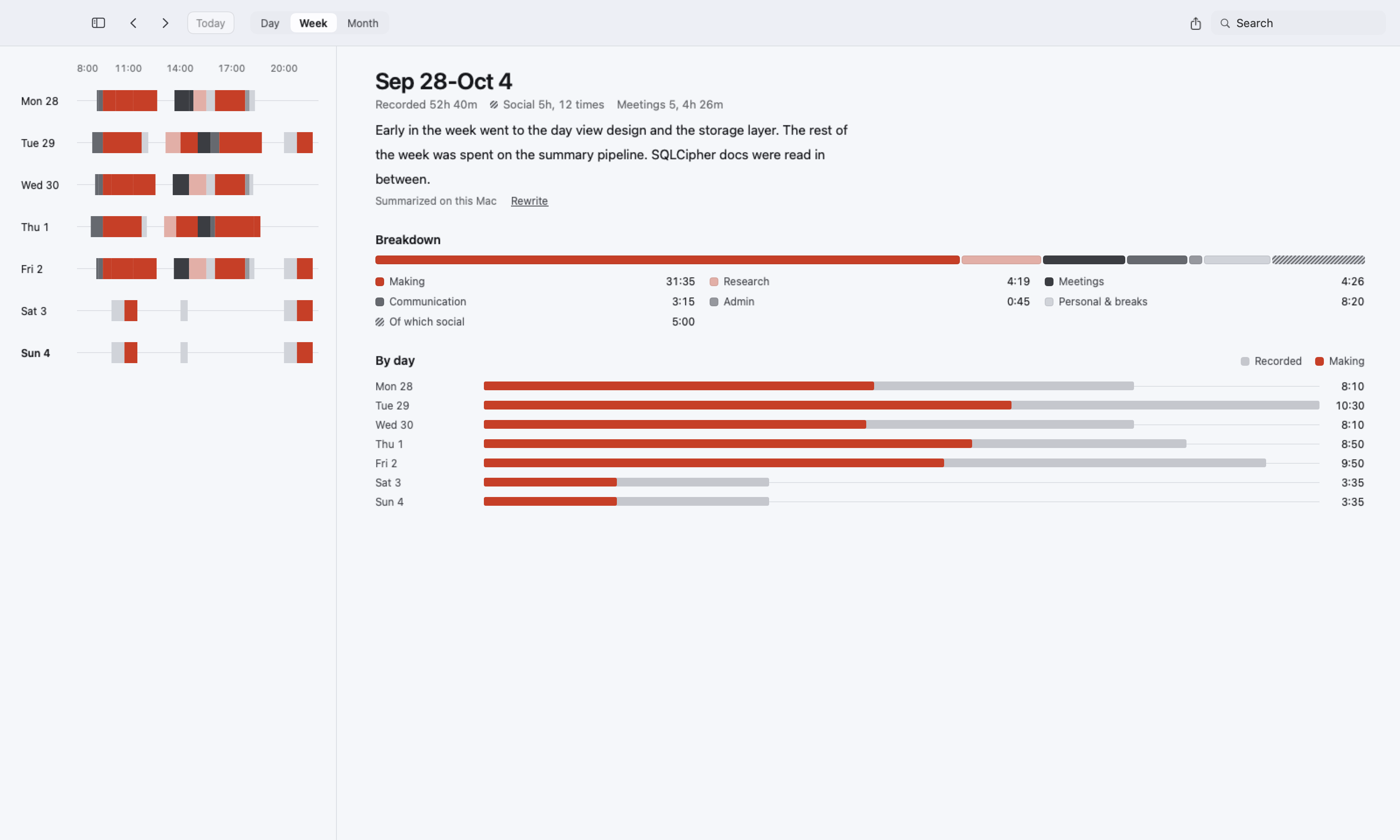
Your reflection, backed by the record.
Write in Markdown
Write headings and lists in Markdown. The marks stay in the text, while headings show larger and emphasis shows bold.
Insert the day's flow
Add the day's work to your text as a list with times, in one click.
Insert pages you read
Add the web pages you read while researching, as a list of titles and links.
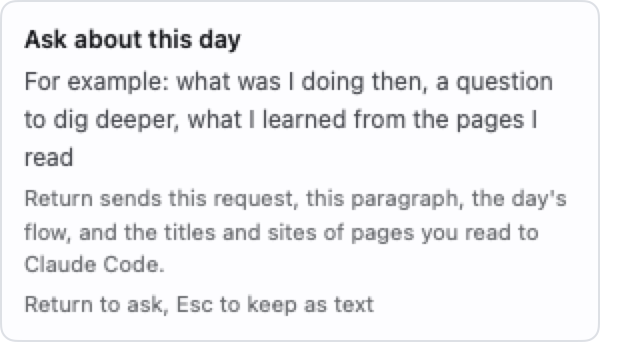
Ask AI with @
Type @ in your reflection to ask AI about the day. The answer goes in as a quote, kept apart from your own words.
Use Ato with AI.
AI summarizes your records
Apple Intelligence, built into your Mac, writes summaries for each hour, day, week, and month, without your records leaving your Mac.
Ask your records with @
Start with @ in the search field to ask about your records and reflections, like "What took most of my time last week?" Answers link to the days they come from.
Dig deeper with an AI agent
If Claude Code or Codex is on your own Mac, hand it the day's records to dig deeper. You see exactly what will be sent first, and site and file names can be hidden.
Let your own AI read your records
Turn on the local MCP server, and AI such as Claude can read the summaries, totals, and search results on this Mac. It can't write anything.
Take it to the tools you already use.
Copy as Markdown
Copy a day, week, or month as Markdown, with the summary, the flow of the day, and your reflection, or export it as a file. Paste it straight into Notion, Obsidian, Day One, and more.
All your records as JSON
Export your records, summaries, and reflections as JSON. Your records are always yours to take.
Carry it with an AI agent and MCP
With Ato's MCP server, AI such as Claude can read your records, so you can put your record data to work through that AI.
Keep your records on your Mac.
- By default, your records are not sent anywhere, and never to our servers.
- Summaries are written locally by Apple Intelligence, built into your Mac.
- Your records are stored encrypted.
- Chrome private windows and the apps and sites you exclude are never recorded.
- iCloud sync and sending to an AI agent only run if you turn them on.
Record websites in Chrome, too.
With the Ato extension for Chrome, Ato can record the URL and title of the pages you visit. Tabs in private windows are never sent, and page content is never read.
Pricing
Beta
Free
Everything available today
Questions
- Can I use it without writing reflections?
- Yes. You can turn the reflection features off in Settings and use Ato as an app that records your log.
- Which Macs does it run on?
- Macs with Apple silicon running macOS 26 or later.
- Will it slow down my Mac?
- Ato doesn't record with screenshots, a common cause of slowdowns. If you're ever concerned, you can pause recording from the menu bar.
- Does it work with Notion or Obsidian?
- Your reflections are written in Markdown, so you can copy and paste them as they are. Turn on the local MCP server, and AI such as Claude can read your Ato records.
- Can I take my data out?
- You can export all your data as JSON (Settings, Data tab).
- How do I uninstall it?
- To delete your records too, choose "Delete Everything…" in Settings under Data, then move the app to the Trash.